
Chapter App FAQ's
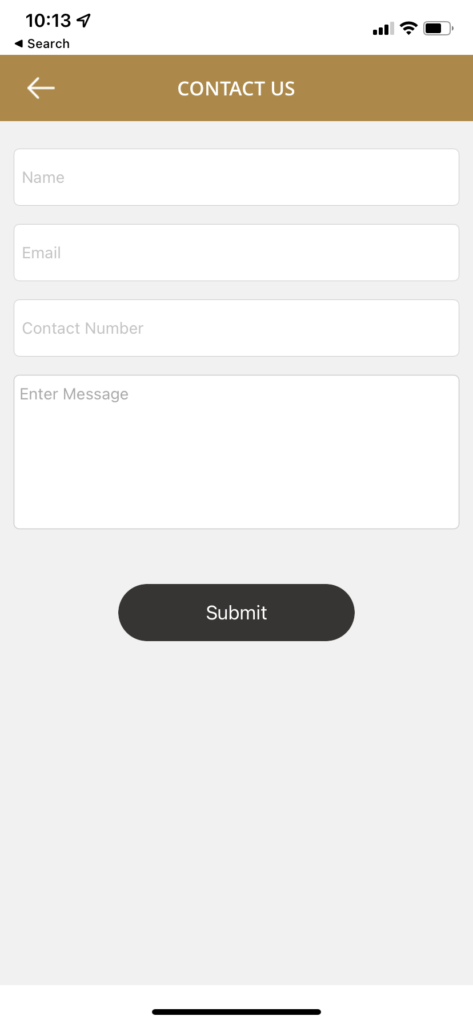
In your App please go to the Contact Us button and click it. You will be presented with a contact us form to fill out. We will get back to you within 24 hours
Thank you for your inquiry on our VIP Partners. Please send us an email at vip.partners06@gmail.com for more information.
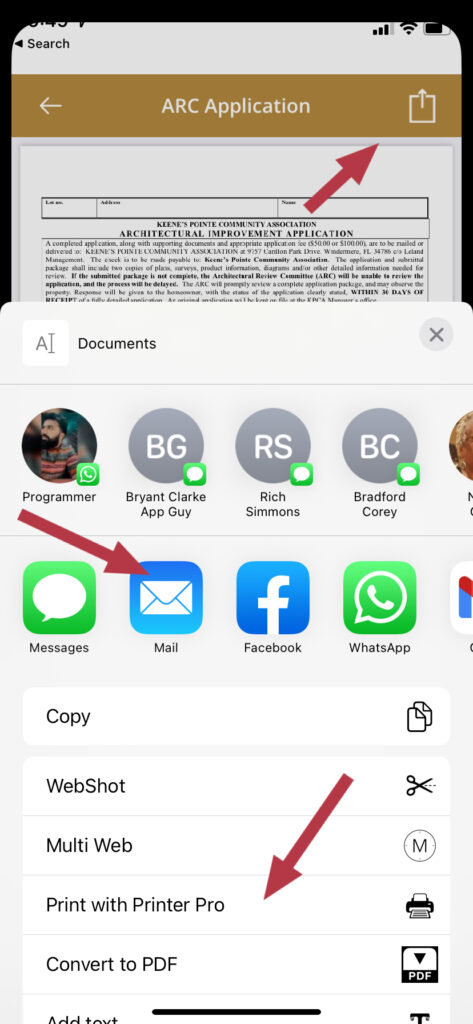
Once you have located the document that you wish to print, click on the button on the upper right hand corner and it will bring up a menu of options. If you have a wireless printer assigned to your phone, just scroll down to the printer and print. If you do not have a printer then you can choose to email the document to yourself and print as you would do with any email.
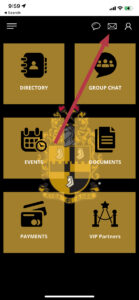
If you miss an alert just go to the message tab on the front page of the app and you will see a red dot indicating that a message was missed.Once you click on the message tab and read the message the red dot will disappear.
We love to hear from our users with any comments or suggestions. Please click on the Contact Us button and fill out the form with your suggestions or comments and we will get back to you within 24 hours.
You can go to the Directory and locate the Brother. Click on the Brothers name and his profile will appear. Click on the balloon button located on the top right corner of the app. Now you can type your message that only he will see. If you are in group chat and wish to speak to a Brother one on one just click on his photo and it will take you to his profile page and follow the instruction above to send a one on one chat.
Send us an email at vip.partners06@gmail.com and we will be happy to provide all the information to get you up and running.
We have completed adding links and the ability to place documents in a Chat.
Yes you can place emojis in Chat.
The Chapter apps work on Android phones that are running above Version 7.0 software.Apple devices running above 11.0 software version
We would be happy to work with you on a non-profit or any business that you may have or thinking about starting.Please give us a call at 908-313-7189 for a free consultation.